You haven't signed in yet, you can have a better experience after signing in
*Please complete the payment within {{receiveCouponInfo.expire_at}}Previous use*
You haven't signed in yet, you can have a better experience after signing in



Activity Rules
1、Activity time:{{ info.groupon.start_at }} ~ {{ info.groupon.end_at }}。
1、Activity time:cease when sold out。
2、Validity period of the Group Buying:{{ info.groupon.expire_days * 24 }} hours。
3、Number of Group Buying:{{ info.groupon.need_count }}x。
Please Pay Attention
1、Teamwork process: Join/initiate a Group Buying and make a successful payment - Within the validity period, the number of team members meets the activity requirements - Group Buying succeeded!
2、If the number of participants cannot be met within the valid period, the group will fail, and the paid amount will be refunded in the original way.
3、The number of people required and the time of the event may vary among different products. Please pay attention to the rules of the event.

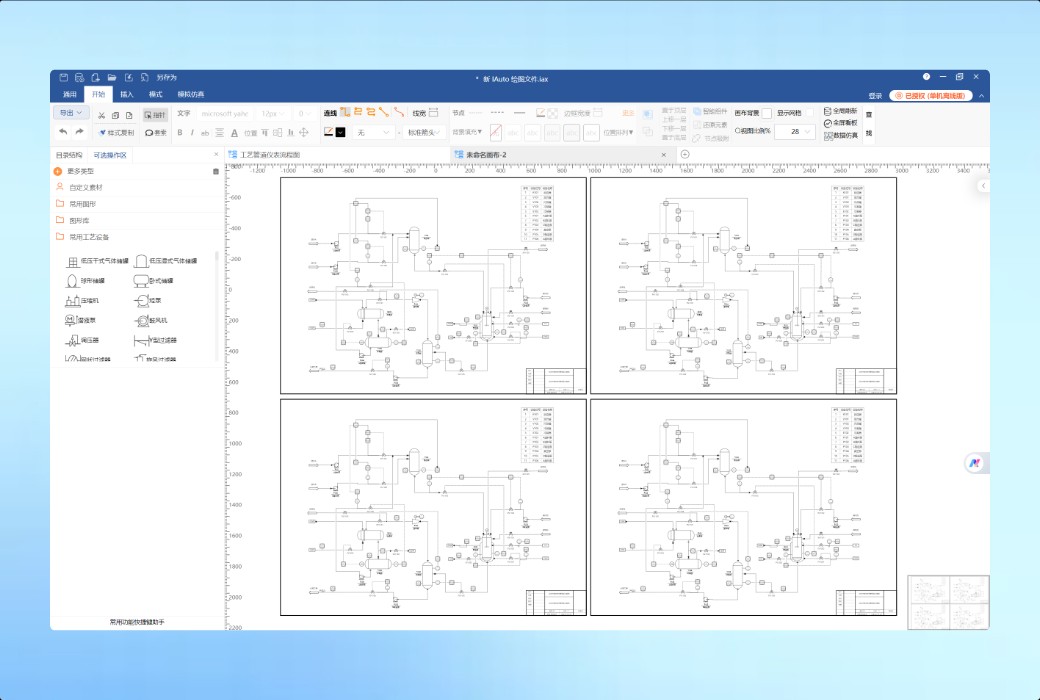
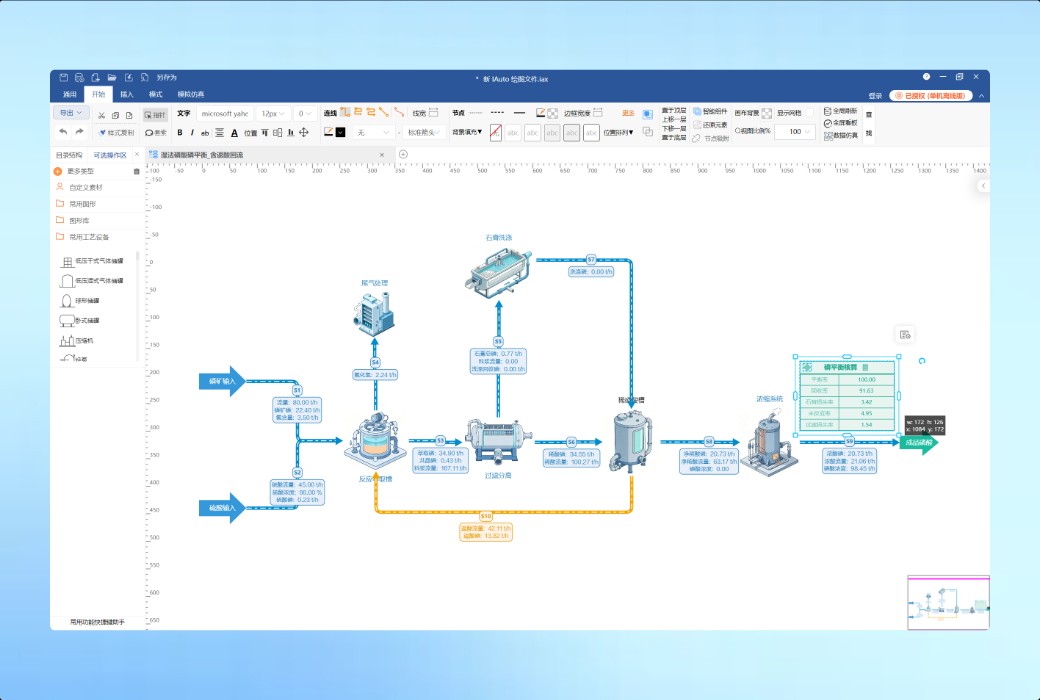
IAIto drew a process flowchart and easily calculated the balance
Integrated Image Computing · Canvas as a Model · Multi industry Process Modeling Covering Process Design to Real time Monitoring
Complex flowcharts, mind maps, network topologies, organizational structures, Gantt charts BPMN/UML、 Sequence diagram, floor plan, process flow diagram, schematic diagram
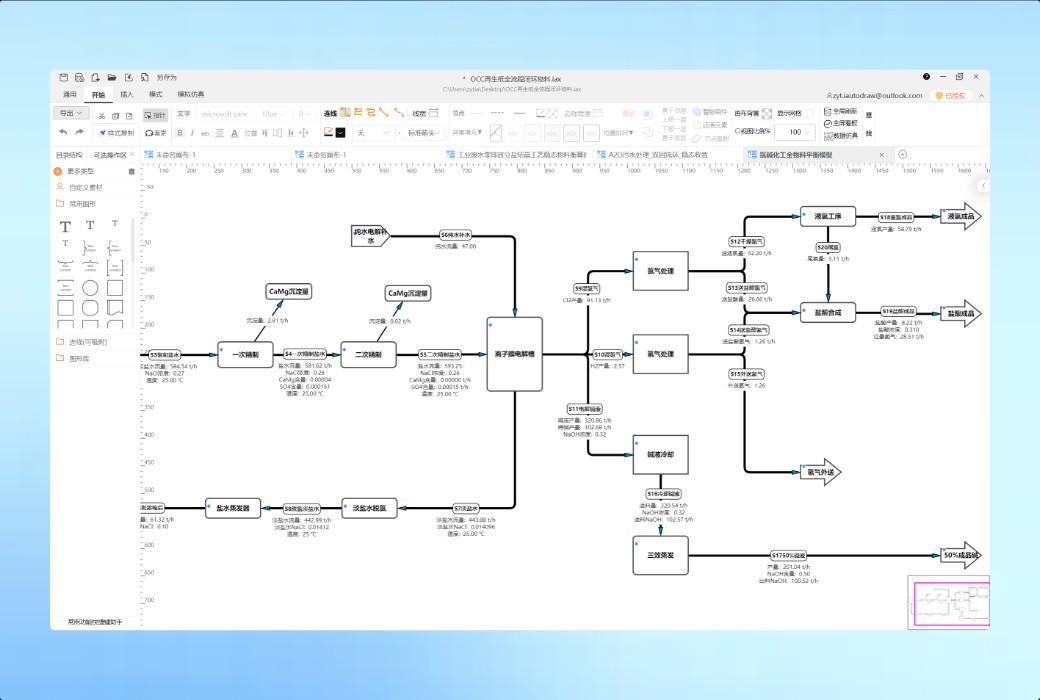
PFD drawing and material balance calculation for fine chemical, phosphorus chemical, coal chemical, and lithium wet process, supporting automatic iteration of reflux closed-loop and custom process formulas.
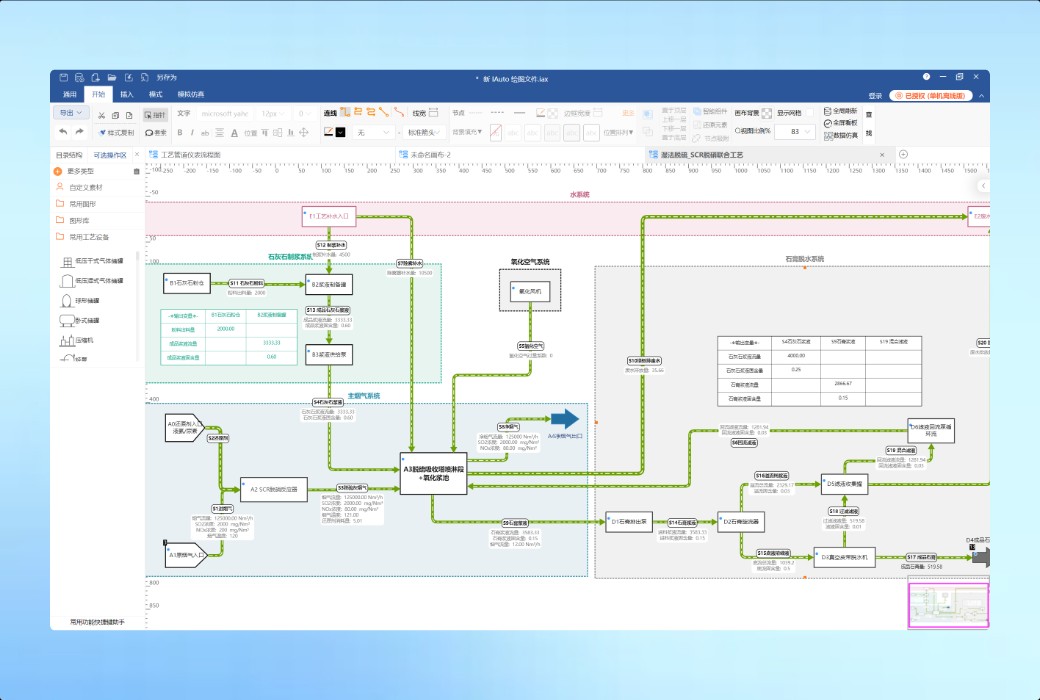
The modeling and calculation of water balance, sludge balance, reclaimed water reuse, desulfurization and denitrification processes in the sewage treatment plant can be integrated with a database for real-time monitoring.
The design and verification of water supply and drainage, heating, energy storage, and pipeline flow balance, as well as the integration of water balance drawing and calculation, have been completed.
Process concept design and environmental impact assessment calculation for design institutes and EPC projects, generating logistics parameter tables, material balance tables, and water balance tables with just one click.
Process simulation teaching, course modeling, graduation design, and research data simulation, quickly transforming theoretical equations into interactive dynamic models.
IAAtraw integrates graphics and calculations
Suitable for process material balance of dozens, hundreds of devices, thousands of logistics, and multiple reflux loops!
The most suitable scenario for IAAtraw
Official website:https://www.iautodraw.com/
Download Center:https://iautodraw.apsgo.cn
Shipping time:manual processing
Operating Platform:Windows、macOS、Linux
Interface language:Support Chinese interface display.
Update Description:Support minor version upgrade 3. x
Trial before purchase:Free trial is available before purchase.
How to receive goods:After purchase, the activation information will be sent to the email address at the time of placing the order, and the corresponding product activation code can be viewed in the personal center, My Orders.
Number of devices:Depending on the version purchased
Replace computer:Uninstall the original computer and activate the new computer.
Activation guidance:Single machine authorization requires us to provide the UUID on the software in order for us to provide the authorization code. User authorization requires providing the user's registered email address.
Special note:1 device (fixed computer) suitable for intranet or offline scenarios (Linux Personal Edition does not support offline activation, Enterprise Edition can contact the official for handling). User subscription is suitable for networking scenarios. Use account login to activate usage. Support device replacement.
Reference materials:https://www.iautodraw.com/#/

Any question

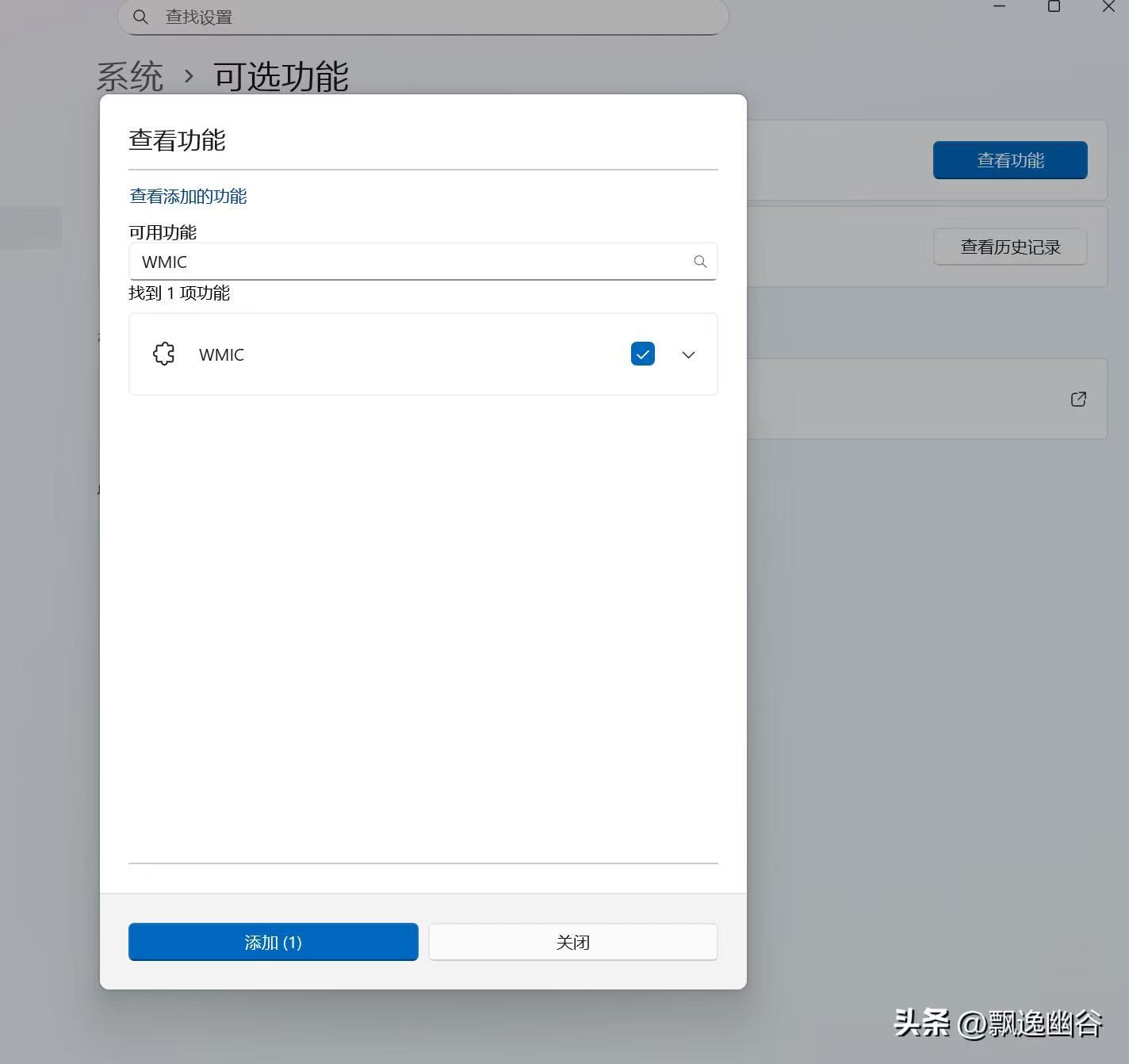
Some Windows 11 systems do not have the WMIC service enabled and need to enable it first.
1. Open "Settings" → "System" → "Optional Features"
Press Win+I to open Settings → click "System" on the left → scroll down on the right to enter "Optional Features".
2. Click "View Features" (next to "Add Optional Features")
On the "Optional Features" page, click the "View Features" button to pop up the add wizard.
3. Enter WMIC in the search box
Enter WMIC in the search box, and it will list: Windows Management Instrumentation Command-line. Check it → Next.
4. Click "Install" and wait for completion
Click "Install", download and install online (for a few seconds), and it will prompt success. No restart is needed.
5. Verify (in administrator terminal)
Open PowerShell/CMD (as administrator), enter:
plaintext
wmic csproduct get uuid
If you can see the UUID, it means the enablement is successful.